HW2: Random Barcode
Assigned: 2/10/2026
Code Due: 2/19/2026 at 11:59 PM (Submit on Gradescope)
Feedback Returned By: 2/24/2026
Fabrication: 2/19/2026 during lecture or sign up for open hours (check Ed posts from TAs) Fabrication Artifact Due: 3/31/2026
Overview
In this assignment, you will first work through some warm-up exercises on conditionals, lists, and loops, and then implement a pattern generator that can take in user input and generate random barcode-like patterns. If you would like to practice more on Python programming, you can look for the Exercise sections at the end of corresponding chapters of the textbook Think Python 3e.
Competencies and Evidence Points
HW2 maps to 1 Evidence Point under the Programming Fundamentals competency, 1 Evidence Point under the Data Structures & Algorithms competency, 1 Evidence Point under the Software Engineering Practices competency, and 1 Evidence Point under the Fabrication & Physical Computing competency.
Programming Fundamentals (1 Evidence Points)
EP1 — Conditionals and Random Generation
Satisfactory work shows you can:
- Apply conditional statements to make decisions in programs
- Use comparison and modulus operators effectively in conditions
- Generate and work with random values using the
randommodule
Data Structures & Algorithms (1 Evidence Points)
EP2 — Lists and Loops
Satisfactory work shows you can:
- Use loops to iterate over sequences and perform repeated operations
- Create and populate lists with appropriate values
- Access and validate list elements
- Apply list operations (iteration, membership testing, indexing) correctly
Software Engineering Practices (1 Evidence Point)
EP3 — Code Quality and Testing (overall quality)
Satisfactory work shows you can:
- Write multiple, meaningfully different tests, including edge cases
- Maintain readable code: consistent style (snake_case), clear names, appropriate amount of comments and docstrings (explain not obvious parts and not too extensive), and required citations if you used any sources
Fabrication & Physical Computing (1 Evidence Point)
EP4 - Knitting the Artifact
Satisfactory work shows you can:
- Connect abstract code to physical knitted output
- Generate valid machine code from your pattern generator
- Operate the knitting machine independently to fabricate a custom pattern
- Troubleshoot fabrication errors and iterate if needed
- Document your physical artifact with photo and observations
Preparation Before You Start
Download comp116-hw2.zip from Ed Discussion > Resources.
This assignment will be completed in two files: (1) the warm-up exercises by editing a Jupyter Notebook file comp116-hw2.ipynb; (2) the pattern generator by editing a Python file pattern_generator.py.
A reminder to create a separate folder for hw2 to keep under the course homeworks/assignments folder. You can unzip the comp116-hw2.zip into the hw2 subfolder.
You can now use VSCode to open the folder of this course.
For working on the Jupyter notebook: navigate to open the Jupyter notebook file for this assignment. Don’t forget to select the comp116 kernel in the top right corner of the window before running the code cells in the notebook!
For working on the Python file: navigate to open the Python file and edit that file. To run the file, please follow the steps from the Ed post on How to Run a Python File.
How to Submit
Code Submission
Go to Moodle and find the Gradescope link for “HW2: Random Barcode” and upload your completed comp116-hw2.ipynb (keeping all the cell outputs instead of clearing them) and pattern_generator.py to Gradescope. You can also upload the generated knitout files (*.k) you tried for testing.
Fabrication Artifact Submission
Go to Moodle and find the Gradescope link for “HW2: Random Barcode - Fabrication Artifact” and upload the following:
- Photo of your knitted artifact
- Clear, well-lit photo showing the full pattern
- Include a ruler or size reference if specified
- Brief description (2-3 sentences)
- Which pattern variation you generated
- Any observations about the physical result vs. your expectations
- Any challenges encountered during fabrication
Example Artifacts
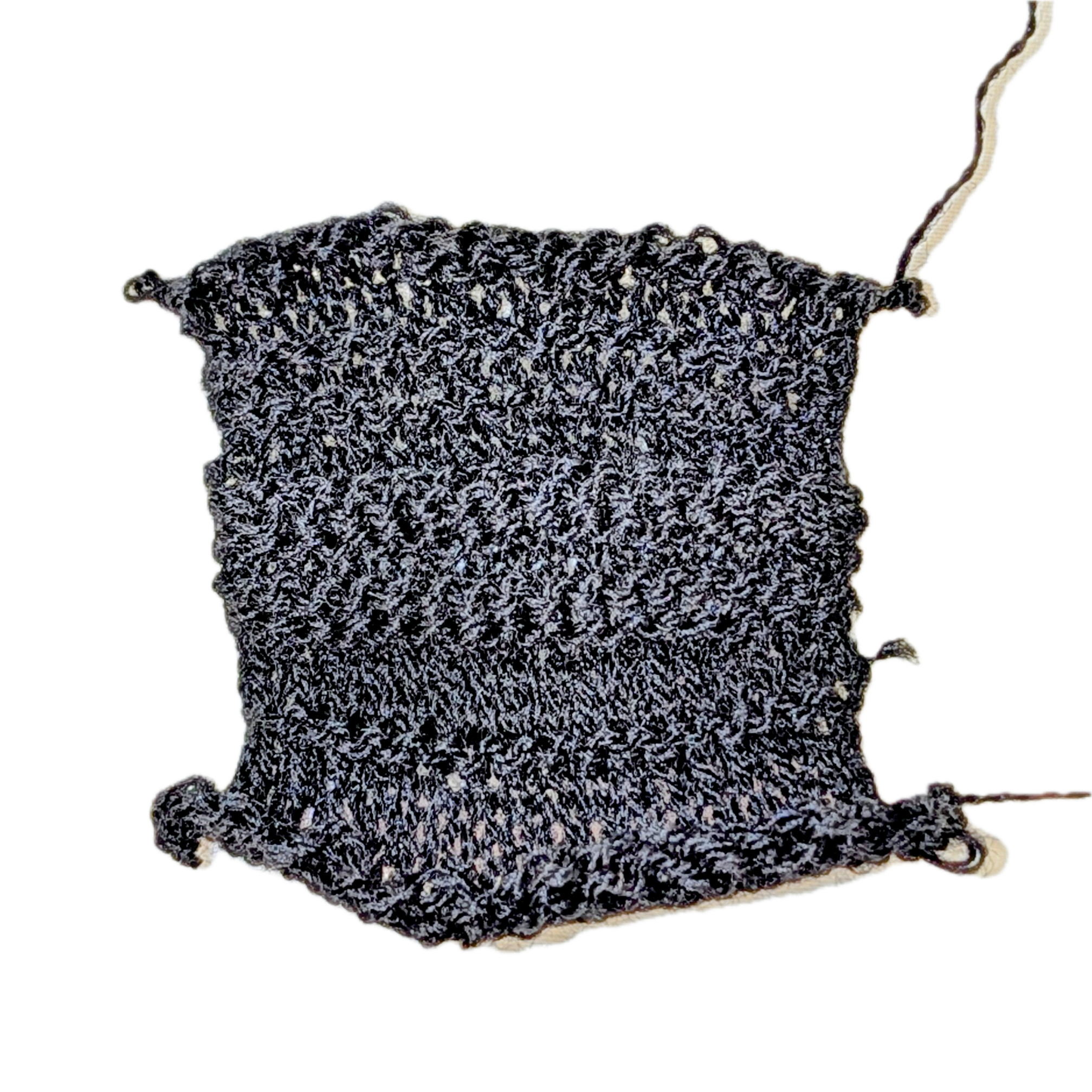
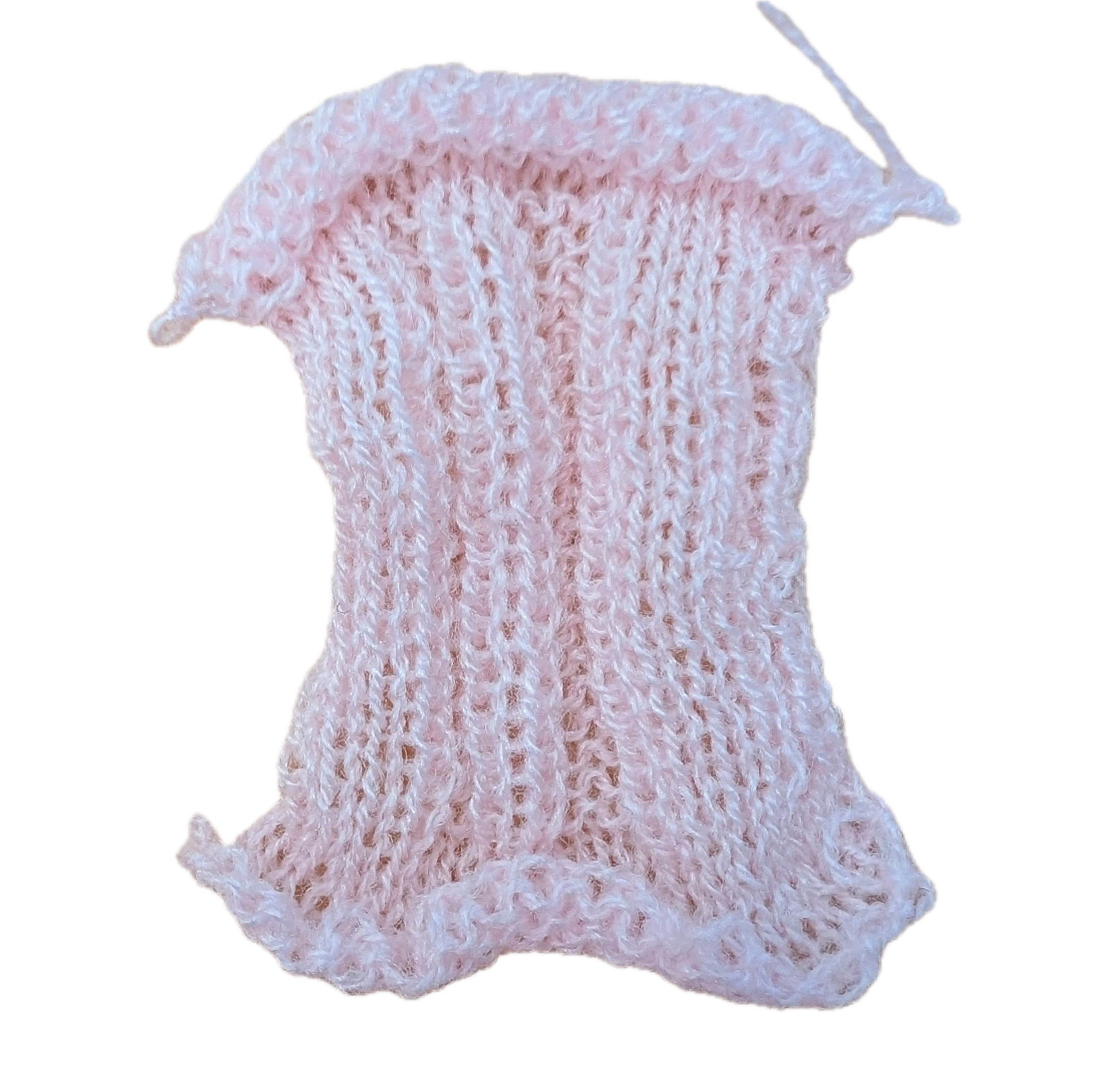
What you can expect from each pattern variation is as follows:
| Variation 1 | Variation 2 | Variation 3 |
|---|---|---|
 |
 |
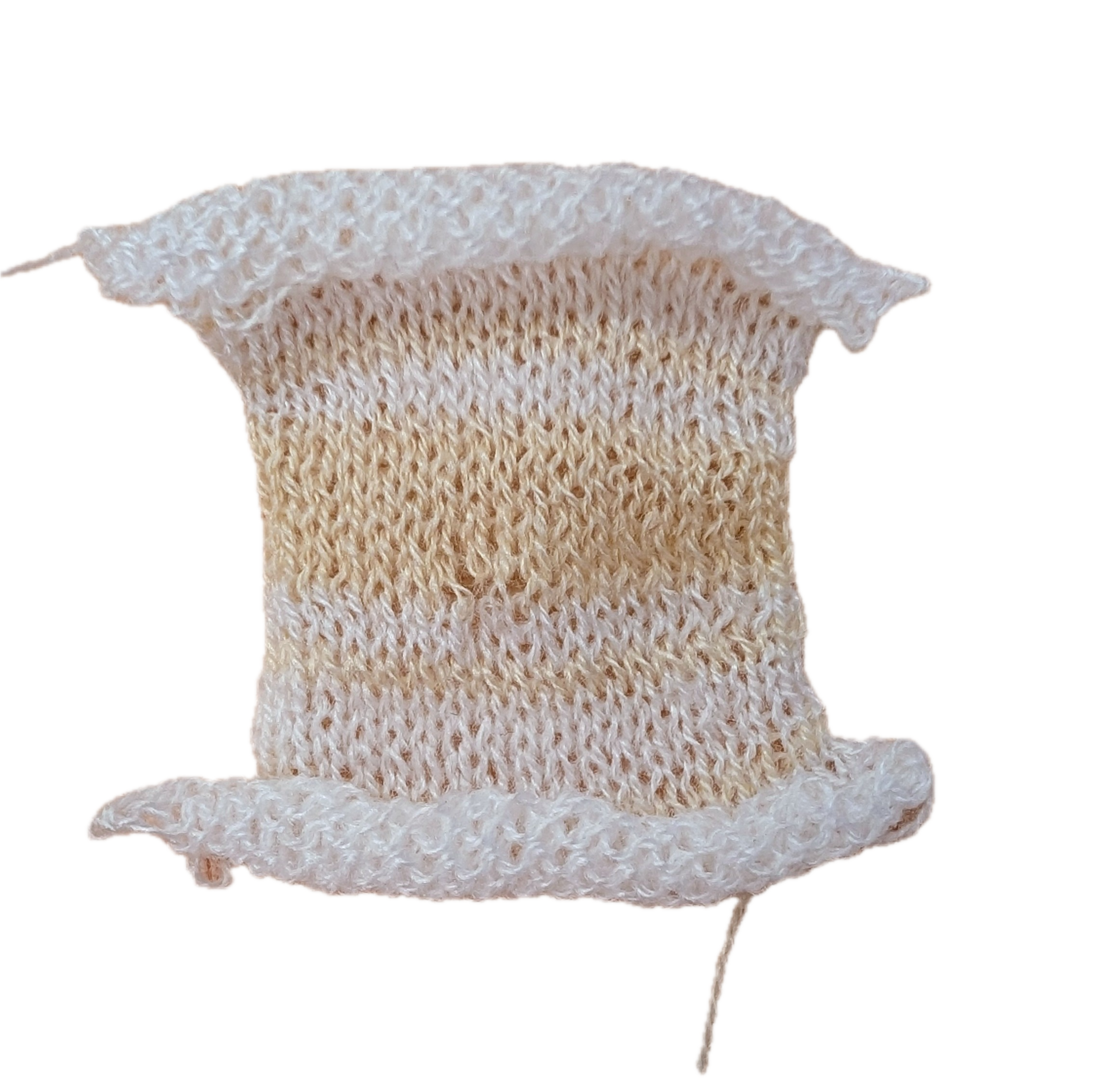 |
Note that we do not expect the artifact to be free of errors; the machine is not tuned to perfection so errors like edge stitches dropping or sticking together, some stitches dropping in the middle, or the waste yarn region having failed stitches are all reasonable, just like what you might see in the example photos here.
Questions? Post on Ed Discussion or come to office hours!