Lecture 1: Course Overview and Logistics
Welcome to COMP116! This is a new course designed with the goal of introducing programming (and computer science) in a way that meshes with some other topics that might seem completely unrelated at first glance, like knitting. By the end of the course, you will learn how to program in Python to achieve some computation or more complex functionality, as well as how knitting works and how to program a knitting machine.
In this lecture, we'll first go back in time to learn about some histories of computing and knitting or textile making, then build the connection between computers and knitting machines, and end with setting up your personal computer for getting started with programming and with this course.
Computers, Looms, and Knitting Machines
The Industrial Revolution mechanized manual work. Instead of manually cranking pedals and lifting threads, weaving looms were mechanized to produce textiles more efficiently. Instead of manually pulling one loop through loops at a time, early knitting machines were mechanized to create a row of loops at a time. And to avoid errors from computers (note: this was a job title a few hundred years ago!), machines that do computation were invented: the difference machine and the analytical machine were the predecessors of the modern computers (note: now this actually refers to the electronics device we use today).
Exercise: Order the Machines!
You might wonder why these machines' names were put next to each other. Before we get to the "why", I want to start with an exercise: order the time when the machines were invented. Hint: one of them was pre-industrial (meaning that it was invented before the first industrial revolution period from 1760 to 1840.)
Let's answer a couple PollEverywhere questions and see what everyone thinks.
| Category | Machine | What It Does | Image |
|---|---|---|---|
| Weaving Looms | Power Loom | Automates the physical heavy lifting (beating the thread) using an external engine. | 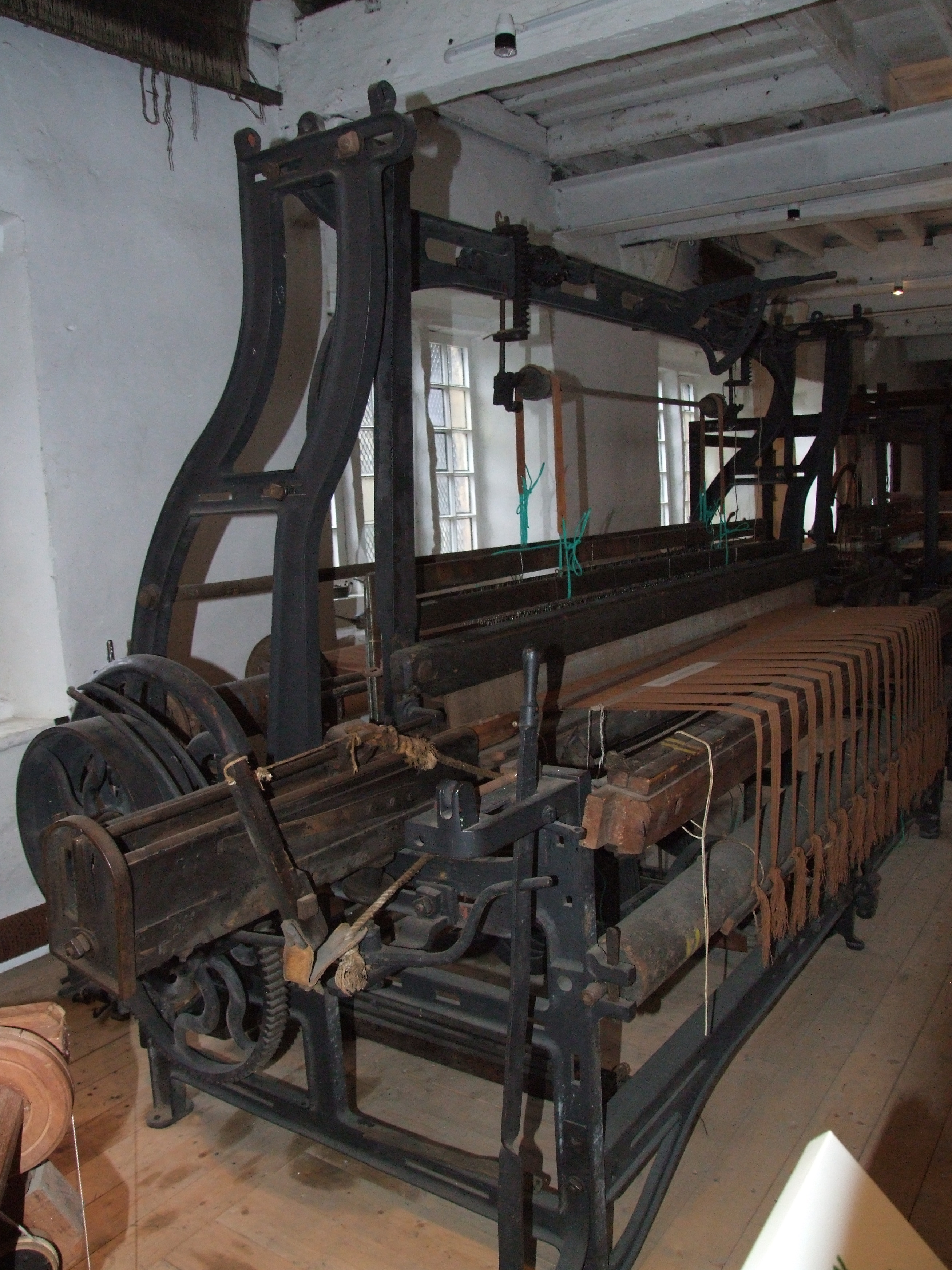 |
| Jacquard Loom | Uses binary punch cards to tell the machine which individual threads to lift. |  |
|
| Knitting Machines | Stocking Frame | Knits an entire row of loops at once using “bearded” hooks. | 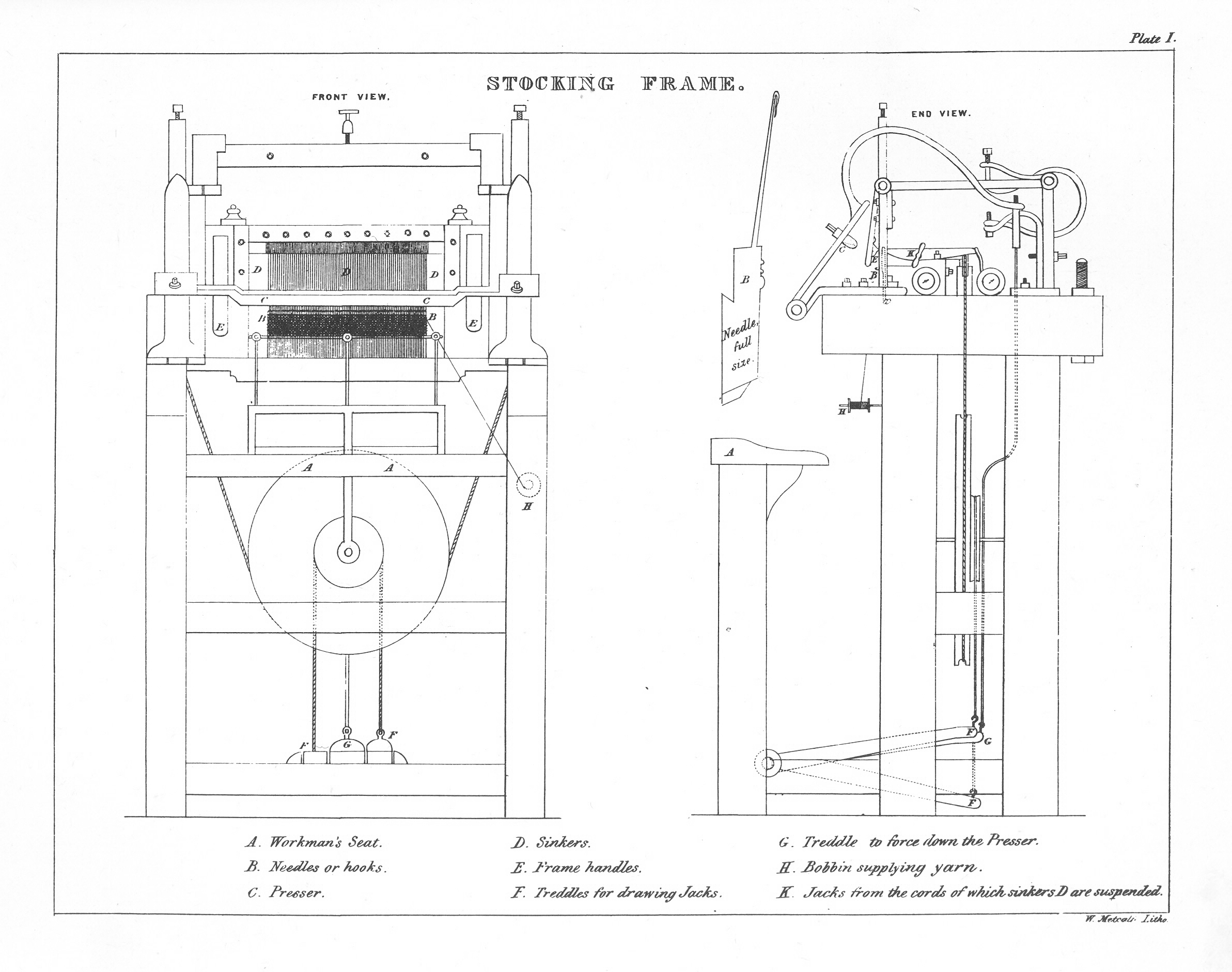 |
| Advanced Stocking Frame | Automatically shapes garments (heels and toes) with internal mechanisms. |  |
|
| Computers | Difference Engine | A mechanical calculator designed to compute mathematical tables reliably. |  |
| Analytical Engine | A general-purpose programmable machine separating hardware from instructions. |  |
Discuss with your neighbor(s)!
Click to show more background information...
| Category | Machine (Inventor) | Year | The Incentive |
|---|---|---|---|
| Weaving Looms | Power Loom (Edmund Cartwright) |
1785 | The Bottleneck: Spinning machines became so fast that human weavers couldn't keep up. Automation was needed to process the surplus of yarn. |
| Jacquard Loom (Joseph Marie Jacquard) |
1804 | Complex Patterns: Before this, weaving a floral design required a "drawboy" to manually pull individual strings. Punch cards automated this mental labor. | |
| Knitting Frames | Stocking Frame (William Lee) |
1589 | Labor Efficiency: Hand-knitting was incredibly slow. Lee sought to replicate the precise movement of fingers to produce luxury stockings faster. |
| Cotton's Patent (William Cotton) |
1864 | Seamless Shaping: While older frames made flat sheets, this machine could "increase" or "decrease" stitches automatically to shape a heel or toe without stopping. | |
| Computers | Difference Engine (Charles Babbage) |
1822 | Human Error: 19th-century math tables were full of "typos" made by human calculators. Babbage wanted a machine that couldn't make a mistake. |
| Analytical Engine (Charles Babbage) |
1837 | Universal Logic: Inspired by the Jacquard Loom, Babbage realized a machine could do |
The Binary Logic in Common
These machines were invented in times relatively close to each other. And indeed, they had things in common. Not just that they got mechanized to utilize the steam power, but in the sense that the same kind of logic was in use. Let's watch a video to see how they are related:
The Jacquard Loom History:
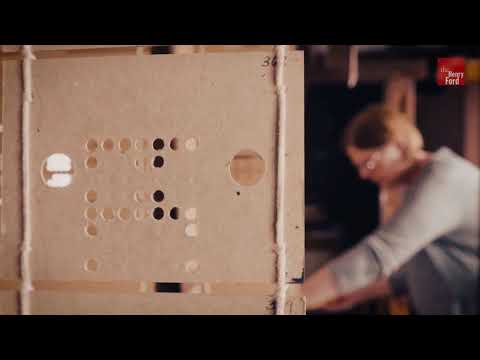
Binary and the Jacquard Mechanism:
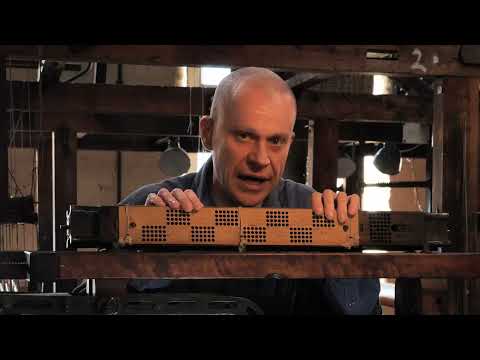
Just as a knitting machine follows a specific sequence of loops to create a stocking, or a loom uses punched cards to weave a specific floral pattern, early computing machines like Charles Babbage's Analytical Engine were designed to follow "programs." In fact, the first computer programs were directly inspired by the textile industry. As the pioneer programmer Ada Lovelace famously said in her notes on the Analytical Engine (1): "The Analytical Engine weaves algebraic patterns just as the Jacquard loom weaves flowers and leaves."
That was before the time of integrated circuits and silicon chips. But as computers develop into the modern form today, we still see punched cards in this journey as a way to program computers, which essentially build upon the 0s and 1s, the same binary logic that exists in the textile-making machines (and many other contexts).

Programming is what we do to control the computers, and computer science is a field built upon all these, but more importantly, with abstractions and a way of thinking in computing. In this course, we will also learn to program to control knitting machines, which also have computers embedded and at the same time it's a mechanized machine. This course will not talk about how computers actually work in binary logic but instead we will learn to program using a high-level programming language, meaning that it's closer to our human speaking language rather than strings of 0s and 1s that are not that readable by humans. I hope that the connection between textiles and programming is a relatable, or more tangible one.
Course Logistics
This course will use several pieces of technologies / resources:
- a computer
- course website that posts lecture notes and assignments
- Moodle's Gradescope plugin for assignment submission
- Ed Discussion board for Q & A
- PollEverywhere for in-class polls
- a Python environment, which we will set up next
- a programmming software (VSCode recommended)
Syllabus Overview
Let's go over the syllabus! Please go to the course website's syllabus page. Next, I will explain the grading and resubmission mechanism, the grade composition, and the support this course aims to provide.
Syllabus Quiz
As a warm-up, let's do a PollEverywhere question to see if things are clear about the syllabus.
A syllabus quiz is released on Moodle (or access here) and as an exception to the rule of no participation make-up, completing the syllabus quiz by the deadline grants you an equivalent of 1 in-class poll completion.
Your First Python Program
We've been talking about Python, and programming. Before that, we need to set up an environment for programming in Python. You can think of the environment as setting up the place for Python to work, like installing a software. What's nice about environments is that they are controlled setups so we will all run into the same issues if any, and it's easier for us to help each other out, kind of like using the same version of operating system and such.
Let's follow through the following steps:
Setup Miniconda
Miniconda is a minimal version of Anaconda, a package distribution platform for Python. It provides access to conda, which is an environment managing tool in the command line (note: command line, or terminal, refers to a place where you can enter commands and do things on your computer directly without going through the frontend user interface, like dragging and dropping files into folders, creating folders, renaming things, and many more). We can follow this tutorial together: https://www.anaconda.com/docs/getting-started/miniconda/install
Choose the instructions suitable for your operating system and follow through. Ask any questions you might have!
This step is completed if you can enter conda in your command line and it runs.
Download VSCode
https://code.visualstudio.com/download
Creating a Python environment
In your command line, run the following:
conda create -n comp116 -c conda-forge python=3.14
conda activate comp116
python -m pip install numpy matplotlib jupyter
Note that although these are not programs, you can think of these as calling onto other programs that people have written to do things.
Before you run your programs, always activate the environment comp116.
Write a program!
Open VSCode, create a new file, and save it as hello.py.
Enter this line below and save:
print('Hello!')
This is a very simple program! But we can already try running it and see what happens.
Run the program
Open your terminal (could be from within VSCode or not). If you are not yet in the Python environment, please activate it with:
conda activate comp116
Then you can do
python hello.py
What happens? Congrats! That's the first program running!
Alternative: Run inline in Python Jupyter Notebooks
Try opening this .ipynb file in VSCode and selecting the "kernel" as "comp116" from the existing environment list. You can use CTRL+ENTER or the run button in the code cell to run it.
print('Hello!')
Hello!
Tinkering with Your First Python Program
If you notice, we used two quotation marks to surround some characters, which are then surrounded by two parentheses.
We call 'Hello!' a string literal, and using single or double quotation marks both works, as long as they are matched. We call print a function, which is a reusable piece of code that performs an action. More specifically, this is a Python-native function, meaning that it's something that comes with Python and the Python Interpreter knows how to interpret it already without us having to define it.
Click to see notes on "Interpreter"...
Note: there's the concept of an interpreter, which you can think of as: to turn the high-level Python program into actual 0s and 1s that change something on the computer, we need a way to translate between the two. The reason why it's an interpreter instead of another common name, compiler, which you may or may not have heard of, is due to the difference in how these two "translators" work. Interpreter goes through line by line, and if nothing is wrong it will execute line by line until it runs into something that is wrong. Compiler checks the entire program, and if there is something that's wrong, it is going to point that out; if it is all correct, it is going to do the translation, but not executing it. The translated code can be then executed successfully.
For instance, if you have an error on line 10, the interpreter will execute lines 1-9 successfully before stopping at line 10. However, a compiler would catch the error before running any code.
Time to break the code...
There are many ways to cause this simple line of code to error out.
Let's start with changing the quotation marks in a way that causes an error. What does the error say?
print('Hello!")
  Cell In[2], line 1
    print('Hello!")
          ^
SyntaxError: unterminated string literal (detected at line 1)
The error consists of information pointing to where that line is (line 1), what kind of error it is (SyntaxError), and some details on the error. The unterminated string literal means that the first quotation mark did not have a matching second quotation mark to end it. So it does not know if the string ever ends, then it cannot execute the program.
Now let's try removing one parenthesis.
print'Hello!')
  Cell In[3], line 1
    print'Hello!')
                 ^
SyntaxError: unmatched ')'
print('Hello!'
  Cell In[4], line 1
    print('Hello!'
                  ^
SyntaxError: incomplete input
Slightly different messages but all SyntaxErrors. This is Python's way of saying: you are telling me things I could not possibly understand, it's grammatically incorrect for the interpreter to interpret. You might think this is simple error and it should be flexible. But this inflexibility, or the preciseness required, is kind of a feature of programming, or even computing. If it allows you to do something, it must be that it is "legal" and "interpretable" in Python's world and actually doable in the computing device.
Time to vary the code!
Change the content of the string literal and have it print anything, any sentence in your head right now, maybe what you think of the class, what you think about knitting, so on and so forth. And try running it again.
print("This is knitting")
This is knitting
Great job! We will start exploring more in the next lecture.
What is Knitting?
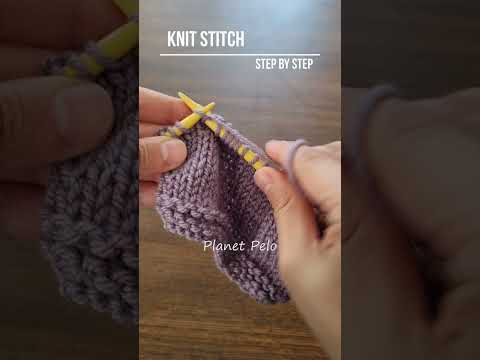
We will end today with a brief introduction of knitting. Knitting is a way of creating fabric by pulling loops through loops. It's different from weaving in the sense that there could be just a single yarn thread the whole time, but in weaving you have many warp threads (vertical direction) and one or more weft threads (horizontal direction). We will not spend time practicing hand knitting in this course but it is super helpful to know how it is done. We will focus on machine knitting, and very specifically, with the SHIMA SEIKI wholegarment knitting machine in the Textiles Hub on the 5th floor of Exley. Trainings are required to use the machine and fabrication is an important part of five competencies this course aims to assess.
Hand knitting a knit stitch:
Machine knitting:
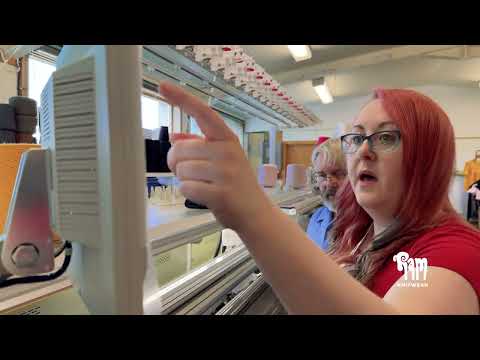
Next week, we will see a demo of the machine in action, and the week after will be scheduled training sessions. Hope you are all excited!